Disclaimer: This is NOT investment advice, just general help and opinions. Please check with a registered investment
advisor before making any investment decisions. This
document may contain errors. Chapman Advisory Group LLC employees are not investment advisors. Please review:
http://www.stockconsultant.com/disclaimerpage.html
Topics
- Get/Set Screen String
- Set Up a Basic Breakout Screen
- Set Up a Basic Momentum (with Trend) Long Screen
- Screen For Intraday Moves
- Profit Expectations on Screens
- Preset High Quality Screens
- Custom Screens Using Screen String
- Screener List Options
- Screener Output Styles
Get/Set Screen String

- Screen String link allows one to get and set screener strings in the format below:
#0,345,00!0!!0!,124789abd,0, 12,,12,,24, 000000000000,234,,2345,000008#
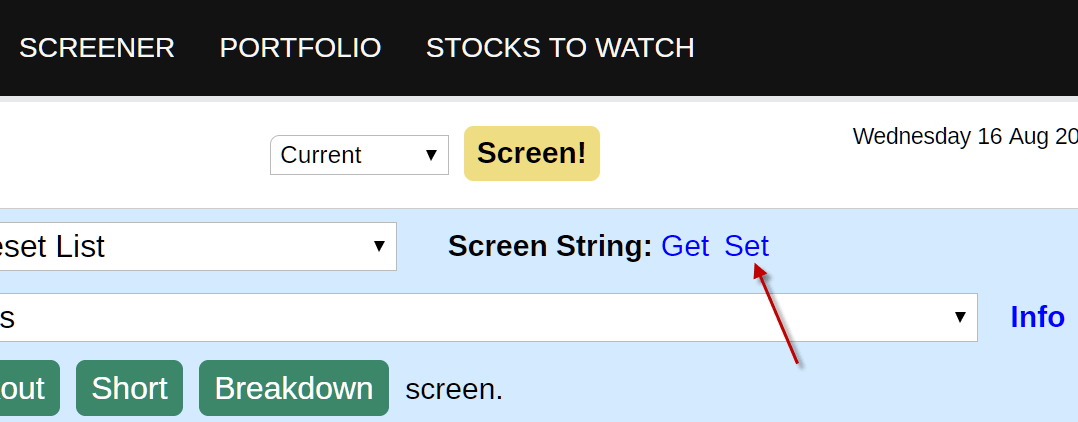
- To set a screen string, click on the "Set" link, then copy and paste the complete string (including the
#'s) into the pop up box.
- To get a screen string, click on the "Get" link, then copy the complete string (including the #'s) shown in
the pop up box to a text file or share with other members.
- Save/backup extra screens besides the 25 screens allowed under the "Save Screen as User Preset" pull
down.
Set Up a Basic Breakout Screen
- Make sure to save any previous screens.
- Click on the Screener "Reset Screen" link to clear the current screen.
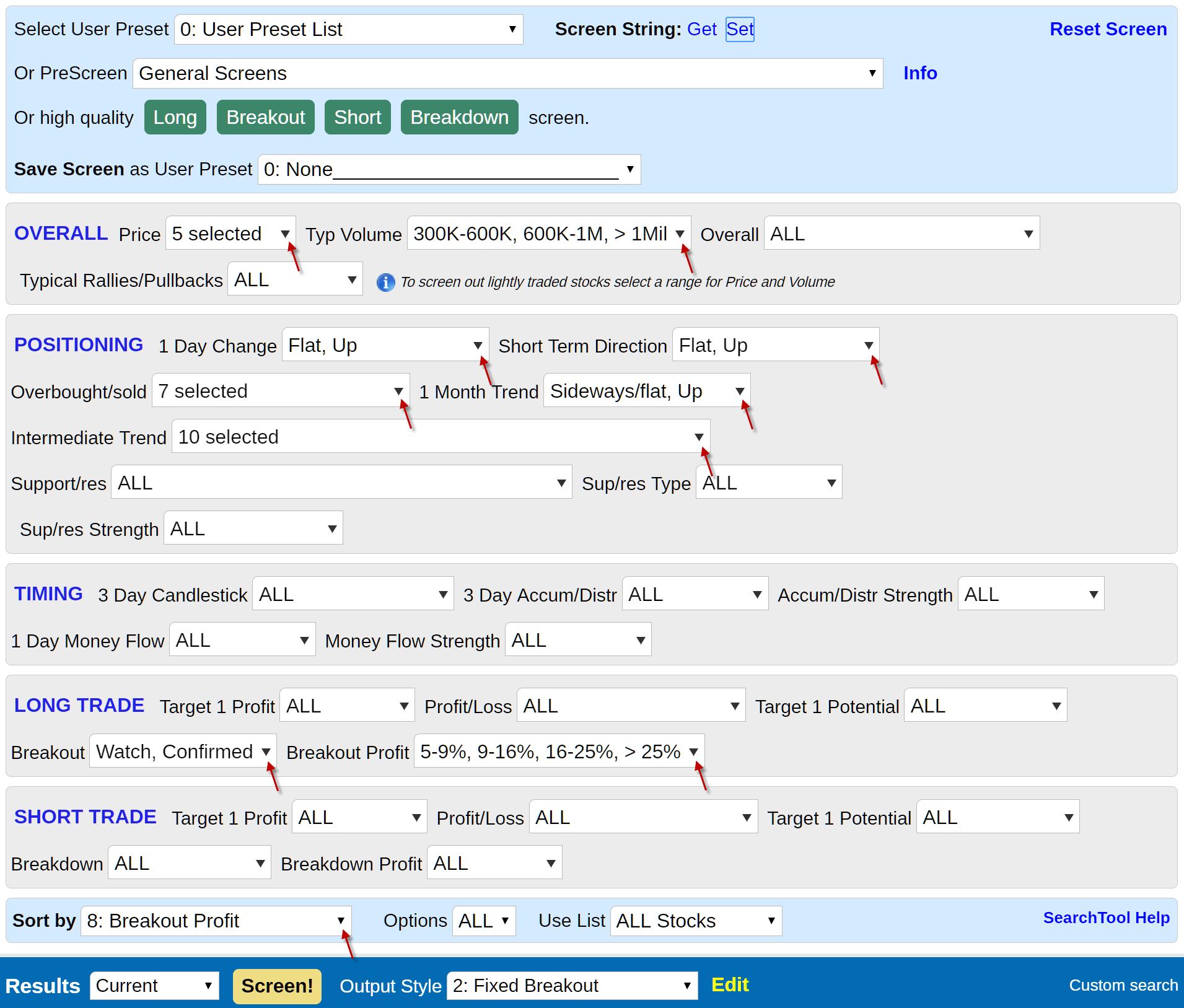
- Set up a basic breakout screen with the following parameters:
- Stock price: 5 and greater
- Typical volume: 300K and greater daily typical volume
- 1 day change: flat, up
- Short term direction: flat,up
- Overbought/sold: all values except Overbought, Extreme Overbought
- 1 month trend: flat,up
- Intermediate trend: all trends except Unsustainable uptrend
- Breakout: watch, confirmed
- Breakout profit: 5% and greater
- Sort by: Breakout Profit, highest profit listed first
- The screen string for this breakout screen is listed, below, to set, copy and paste the string (including
the #') into the Screen String "Set" link pop up box.
#,23456,,345,00!0!!0!, 124789abcd,,1234579,,12, ,12,,12,000000000000, 24,,2345,000008#
- Screener with breakout screen
- Click the "Screen!" button to execute the breakout screen.
- To save this screen, select one of the 25 open slots available under the "Save Screen as User Preset" pull down.
Set Up a Basic Momentum (with Trend) Long Screen
- Make sure to save any previous screens.
- Click on the Screener "Reset Screen" link to clear the screener.
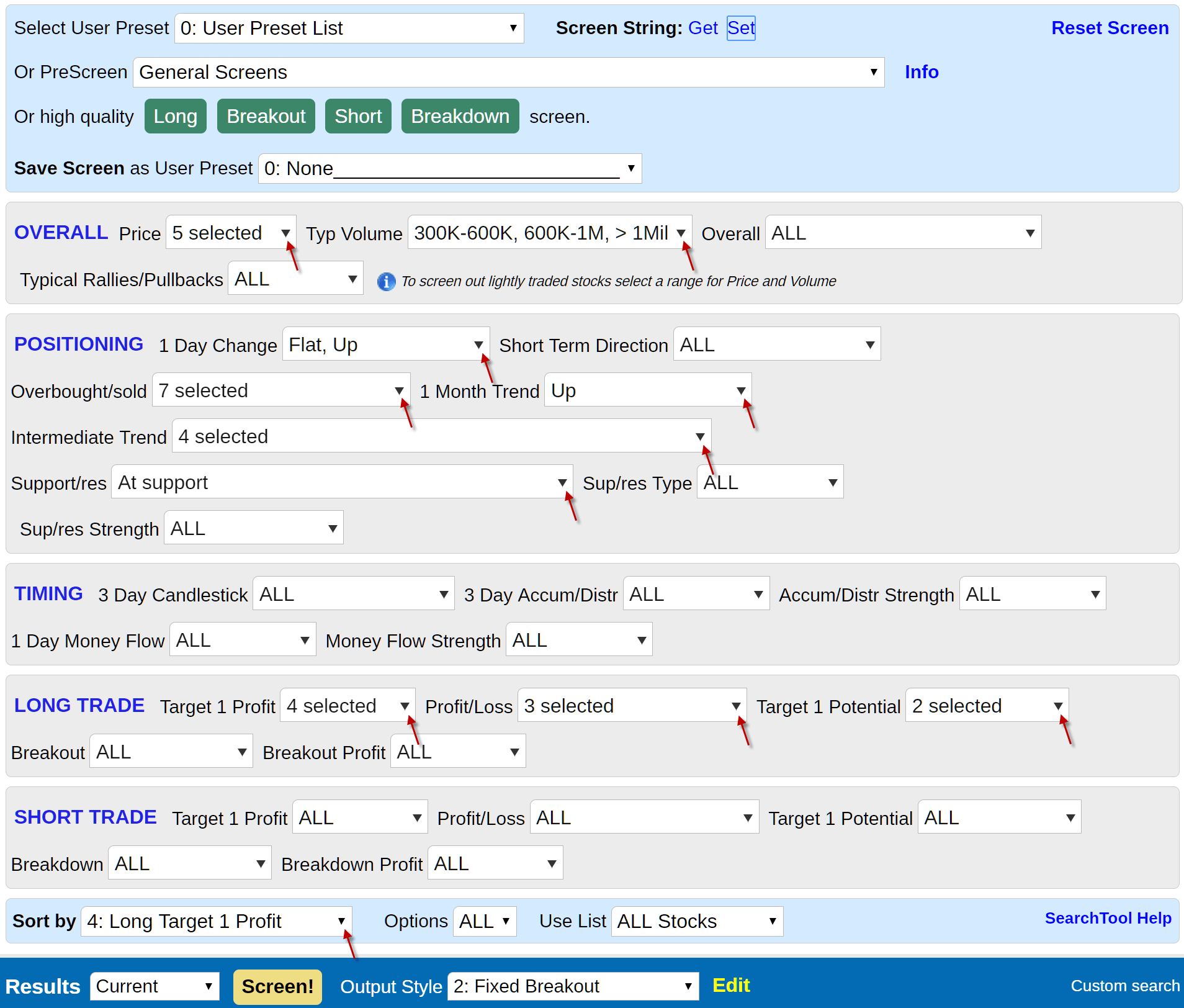
- Set up a basic long screen with the following parameters:
- Stock price: 5 and greater
- Typical volume: 300K and greater daily typical volume
- 1 day change: flat, up
- Overbought/sold: all values except Overbought, Extreme Overbought
- 1 month trend: up
- Intermediate trend: Uptrend turned sideways, Uptrend with recent pullback, Mild uptrend, Uptrend
- Support/res: at support
- Target 1 profit: 5% and greater
- Profit/Loss: 2.5:1 and greater
- Target 1 Potential: good, excellent
- Sort by: Long Target 1 Profit, highest profit listed first
- The screener string for this long screen is listed below, to set, copy and paste the string (including the #'s) into the Screen String "Set" link pop up box.
#,23456,,345,00!0!!0!, 479b,,1234579,20,12, 100000000,2345,,34,, 456,00000004#
- Screener with long screen
- Click the "Screen!" button to execute the long screen.
- To save this screen, select one of the 25 open slots available under the "Save Screen as User Preset" pull down.
Screen For Intraday Moves
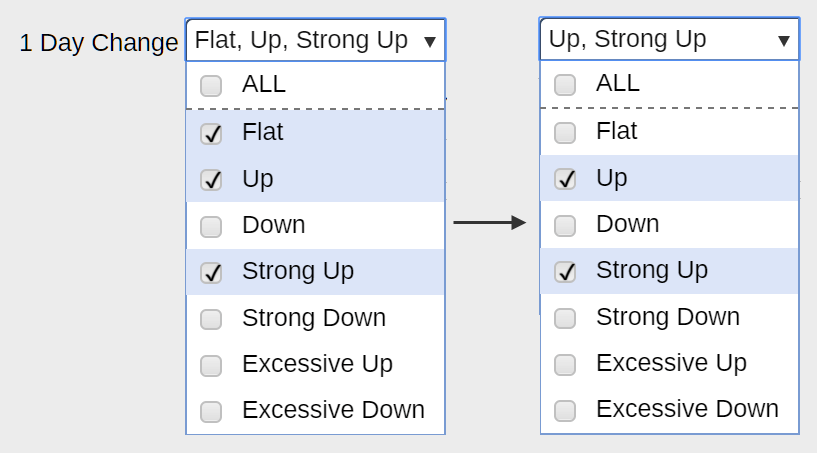
- Convert breakout or long screens to find strong intraday moves, make the change below:
Profit Expectations on Screens
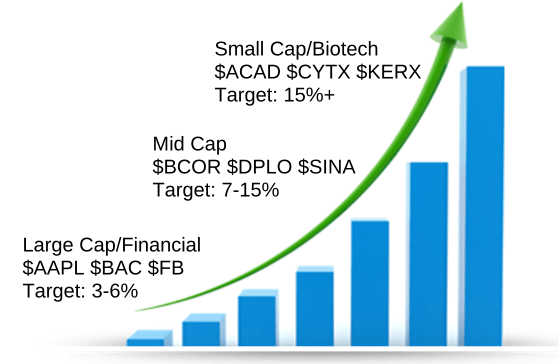
- When setting the screener Price and Typ Volume range see below for the profit expectations on large cap (price 25+, volume > 1Mil), mid cap (price 12+, volume 300k-1Mil) and small cap (price <12, at any volume) stocks. Notice certain industry/sectors show up more frequently for each size/profit. You may want to make separate screens for each type.
Preset High Quality Screens
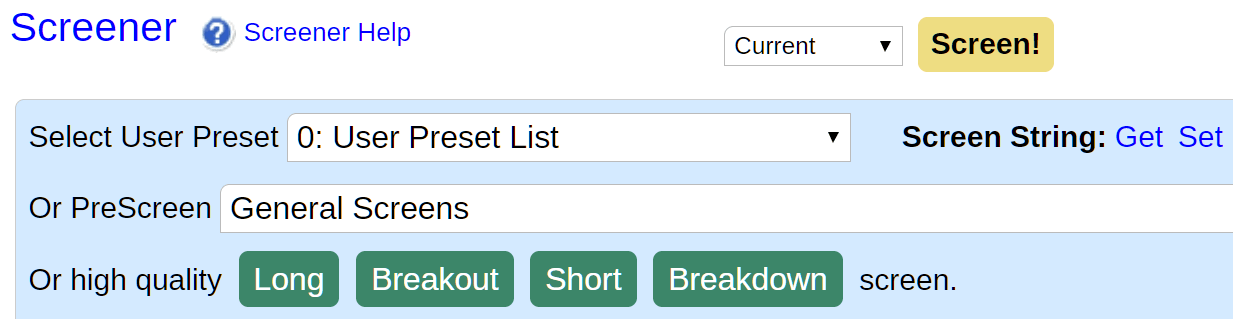
- Use Screener buttons (above) to screen for high quality Long, Breakout, Short and Breakdown trades.
Custom Screens Using Screen String
- To set a screen string, click on the "Set" link, then copy and paste the complete string (including the #'s) into the pop up box.
- A good general breakout screen for momentum and bottoming stocks:
#0,345,00!0!!0!,124789abd,0,12,,12,,24,000000000000,234,,2345,000008#
- Adding high volume to the above good general breakout screen and increasing the range of volume to 100k+ daily:
#0,2345,00!0!!0!,124789abd,0,12,,12,,24,0000002,45,0000,234,,2345,000008#
- A member requested a high volume stock screen. Use the Screener 1 Day Money Flow (bullish) and Money Flow Strength (strong/extreme) to find stocks with high volume. Set the 1 Day Change to control how big a move occurs on that volume, from flat with high volume to strong up/extreme up with high volume.
#,23456,,345,00!0!!0!000020000002,5,000000000004#
- To find the latest requested and custom screens search Twitter for #scscreens
Screener List Options
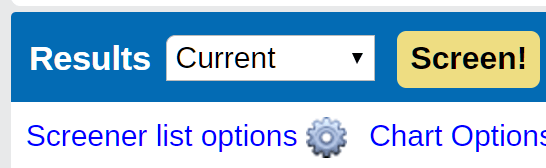
- Click on the link above for the pop up below
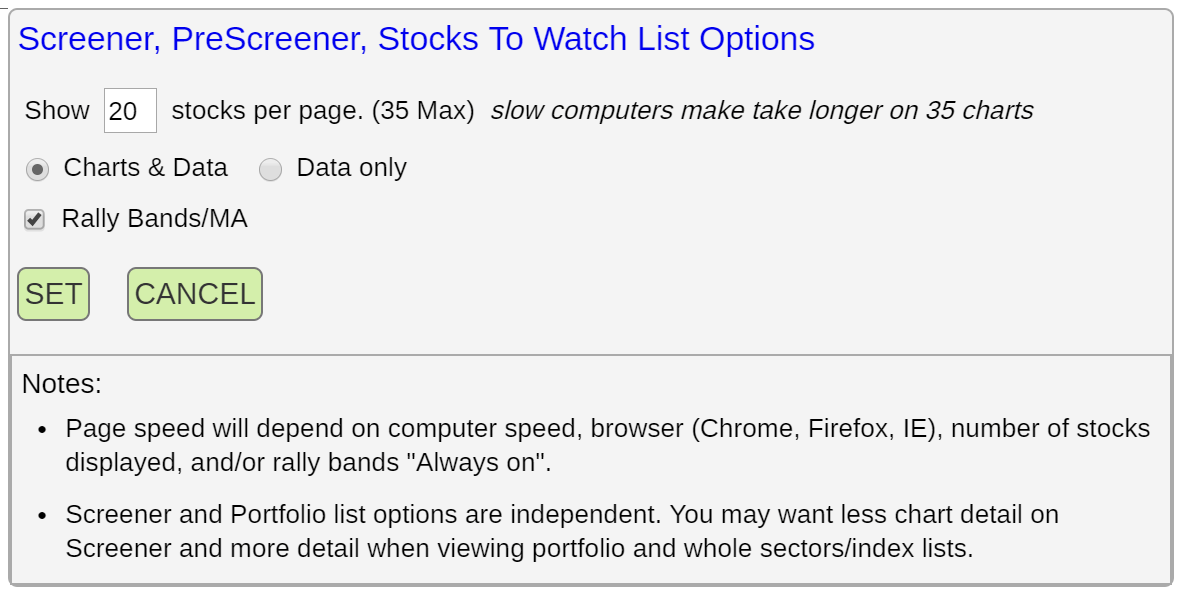
- Screener list options:
- Change the number of stocks displayed per results page from 1 to 35 charts/data (some mobile, tablet and older IE browsers may be sluggish with more than 10-20 charts).
- Choose between both charts and data, or data only output.
- Turn on/off Rally Bands/MA (moving average) indicators to increase speed on Internet Explorer browsers.
- Portfolio and Screener list options are independent, you may want different output indicators for each tool.
Screener Output Styles
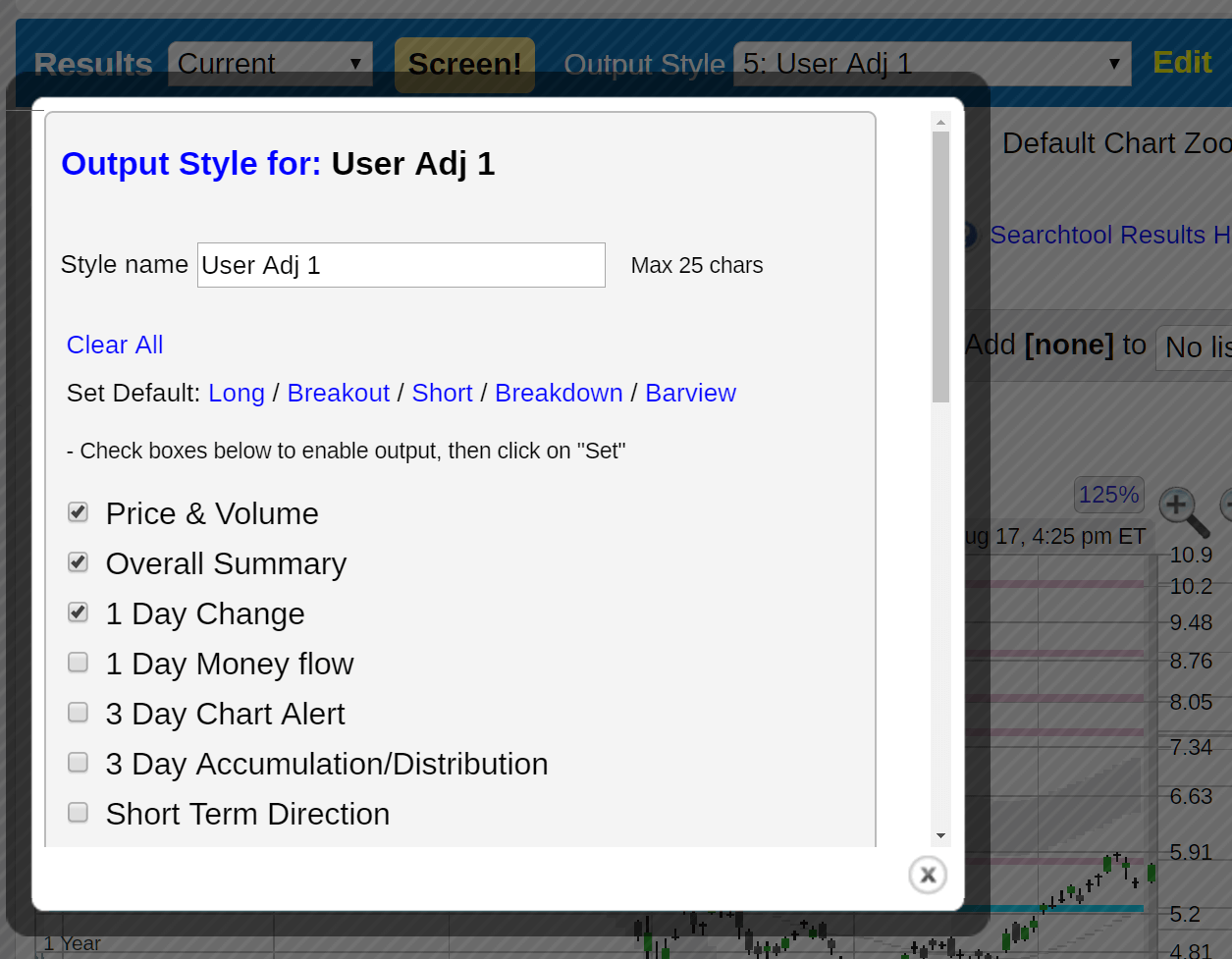
- The "Output Style" pull down sets what indicators will be shown in the table results for each stock. For example, the "Fixed Breakout" output style is listed below.
- Selecting one of the User Adj 1-4 styles and clicking on "Edit" allows one to change the name and output indicators listed in the table.
- For preset screens, the output styles will default to one of the fixed styles (Long, Breakout, Short, Breakdown).
- There are four user adjustable output styles(5-9). The names and indicators can be changed and will be saved and used with the current portfolio or screen.
 Back to help topics